How to Install RTK Reference Station
How to Install RTK Reference Station
Choose a Location
Choose a Location
To optimize the performance of the RTK system, the RTK reference station must be in an open area to receive satellite signals. You can install the RTK reference station on flat, open ground or on an unobstructed wall or roof. In general, if your lawn is L-shaped, you can place the RTK reference station on a wall or roof or on the ground; if your lawn is O-shaped or U-shaped, or if you have multiple lawns, we recommend that you place the RTK reference station on a wall or roof.
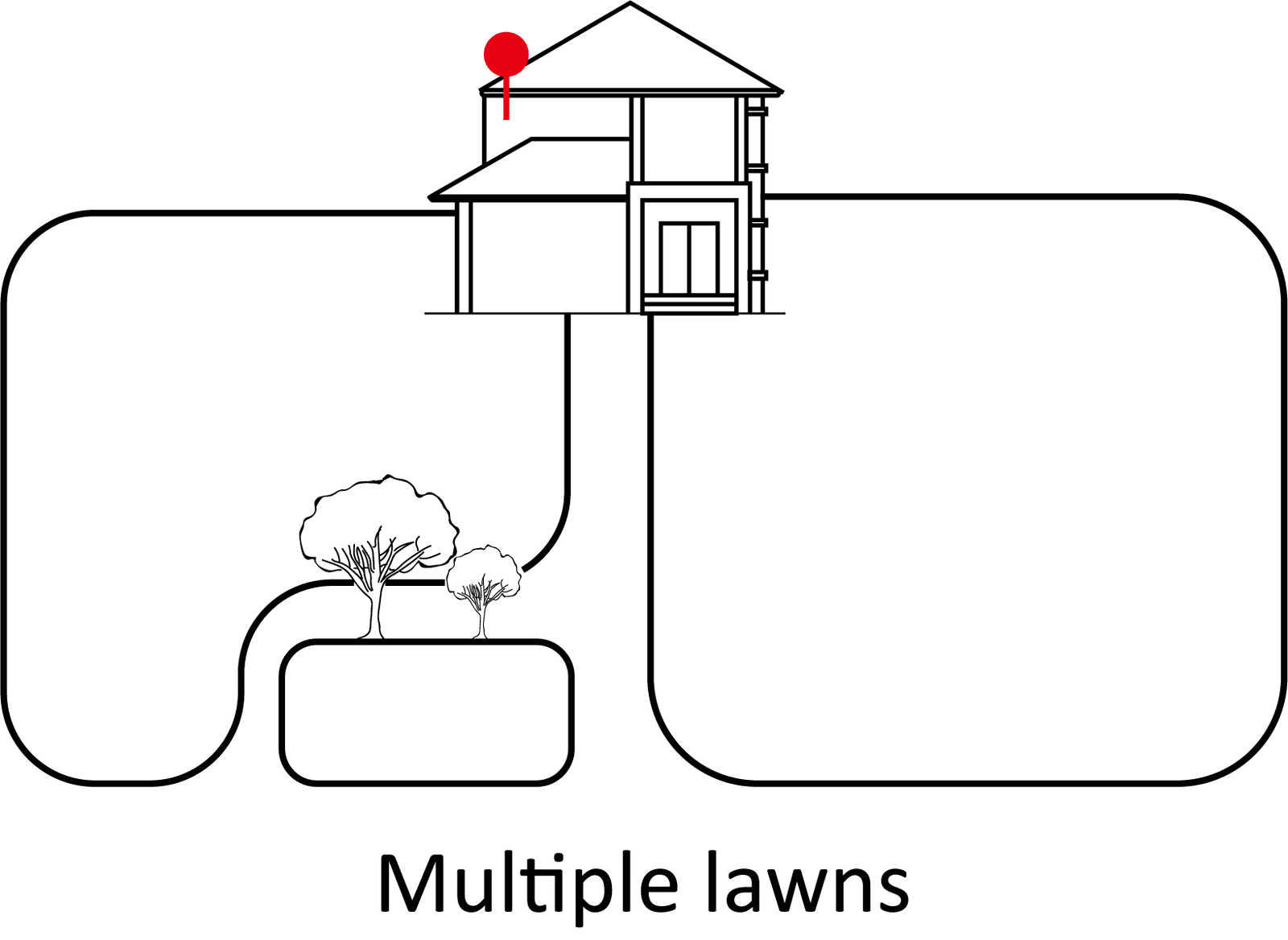
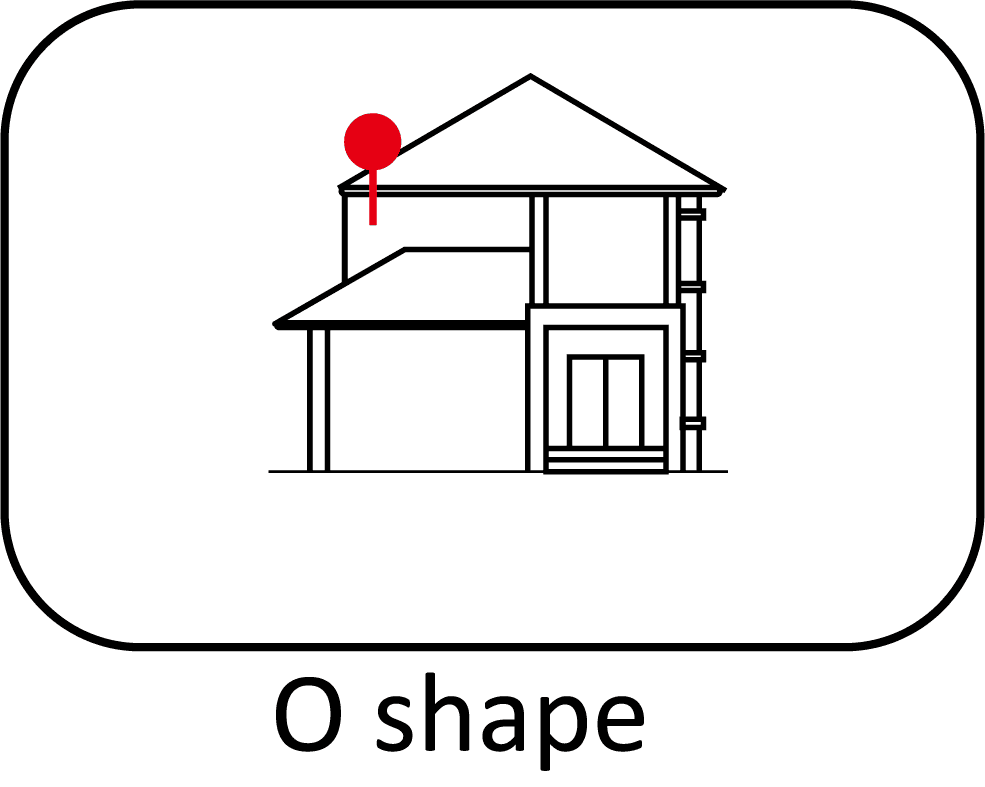
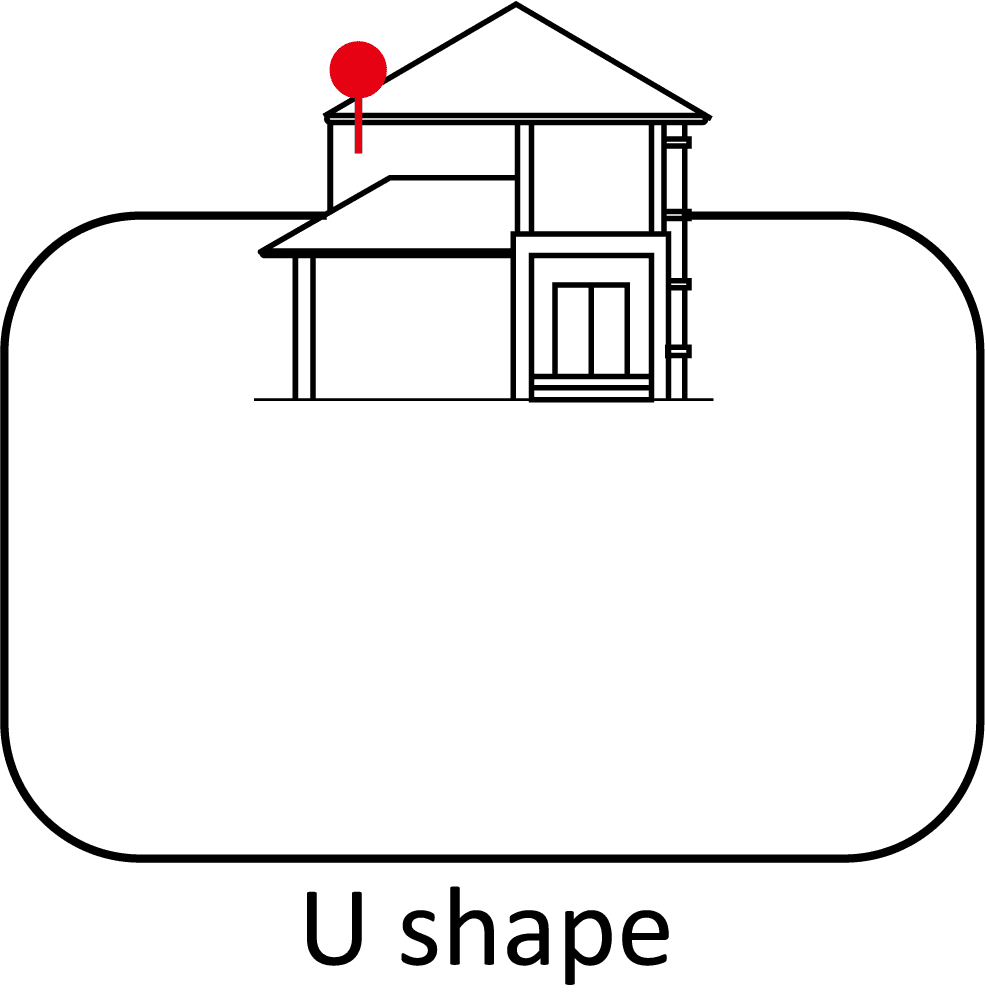
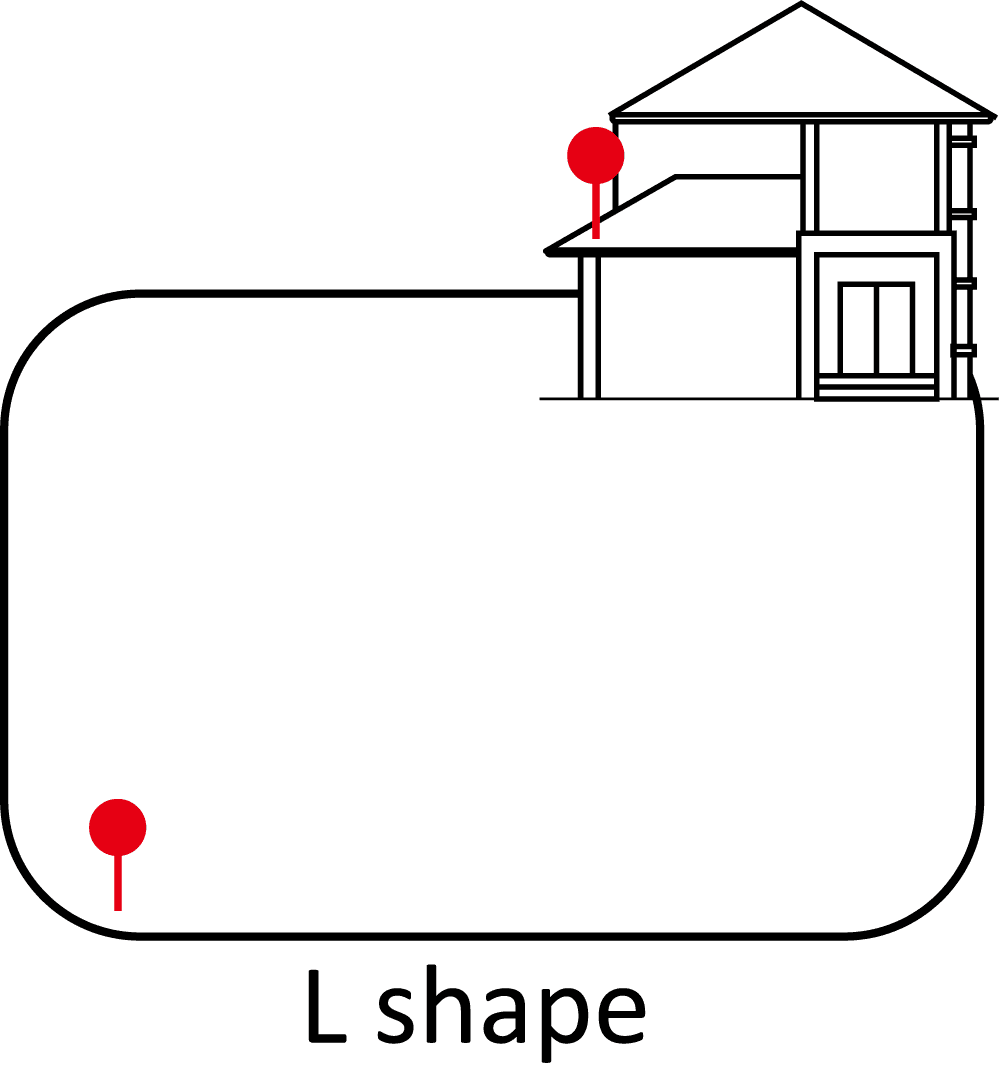
The location requirements are as follows:
● The RTK reference station should be oriented vertically, as shown below:

● Place the RTK reference station on a flat, open ground or on an unobstructed wall or roof. Make sure there are no roofs or trees that may obstruct the satellite signals.
● DO NOT install the RTK reference station at the corner of an L-shaped building or on a narrow path between two structures or under a tree.

Install the RTK Reference Station
Install the RTK Reference Station
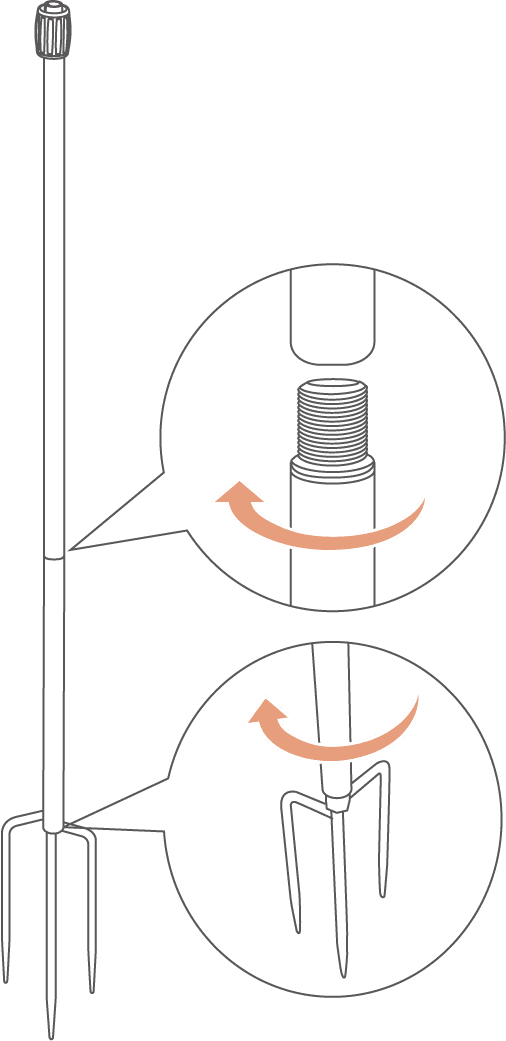
1. Assemble the two mounting poles and the trident ground stake.
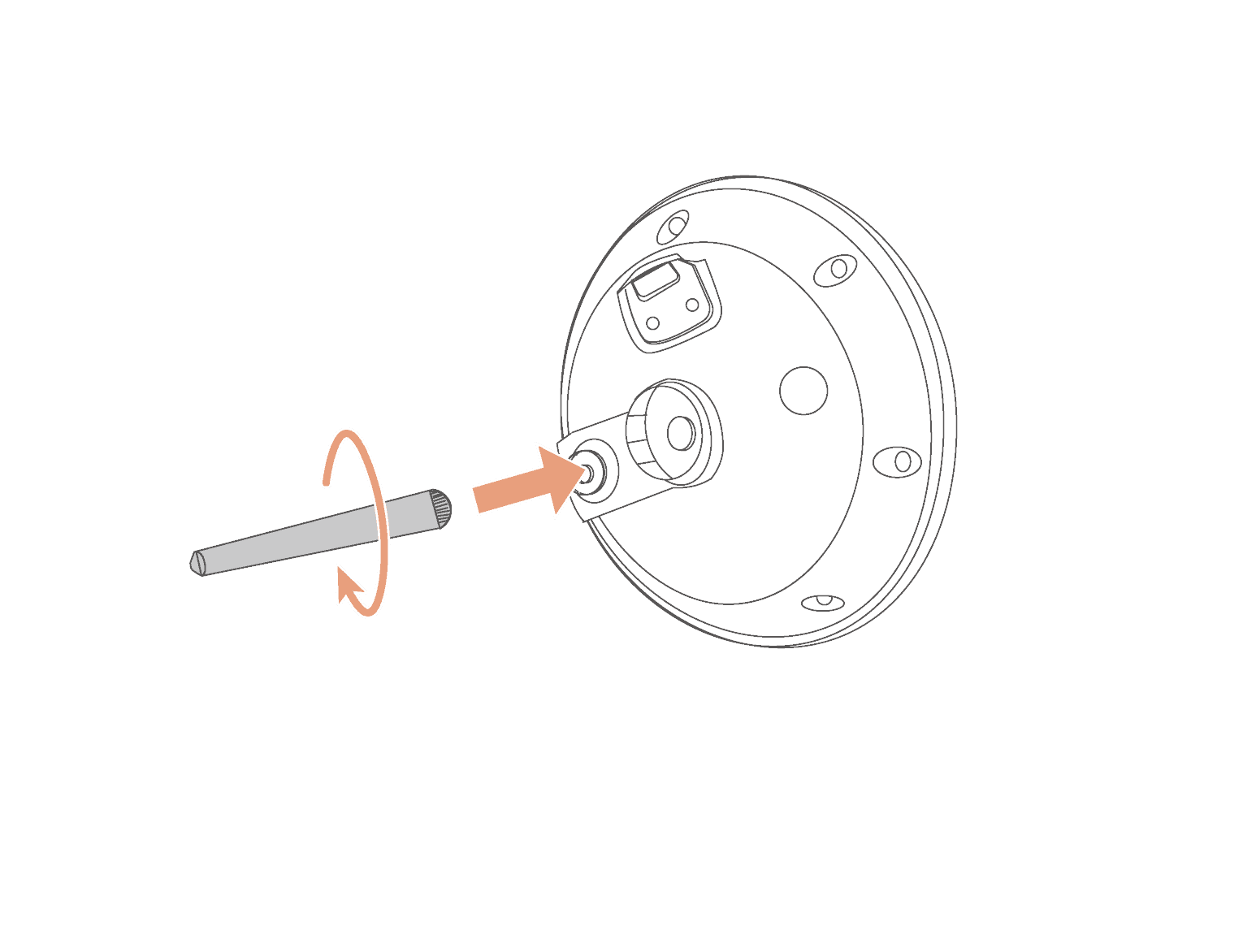
2. Fix the radio antenna to the RTK reference station.
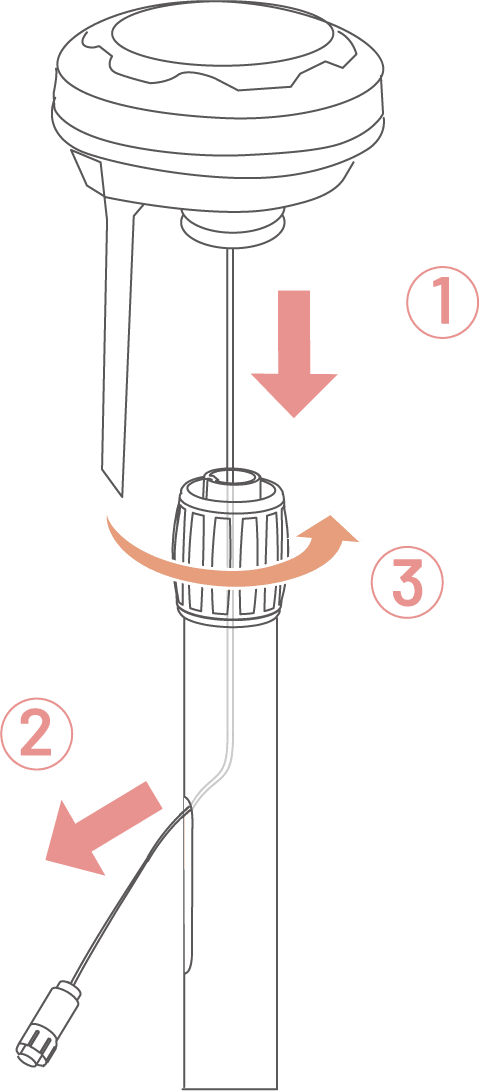
3. Route the RTK reference station cable into the mounting pole.
4. Mount the RTK reference station on the mounting pole.
5. Thrust the mounting pole into the ground close to the charging station.

6. Connect the RTK reference station cable with the charging station cable (the shorter one).
7. Use the cord tie to fix the cable on the mounting pole.
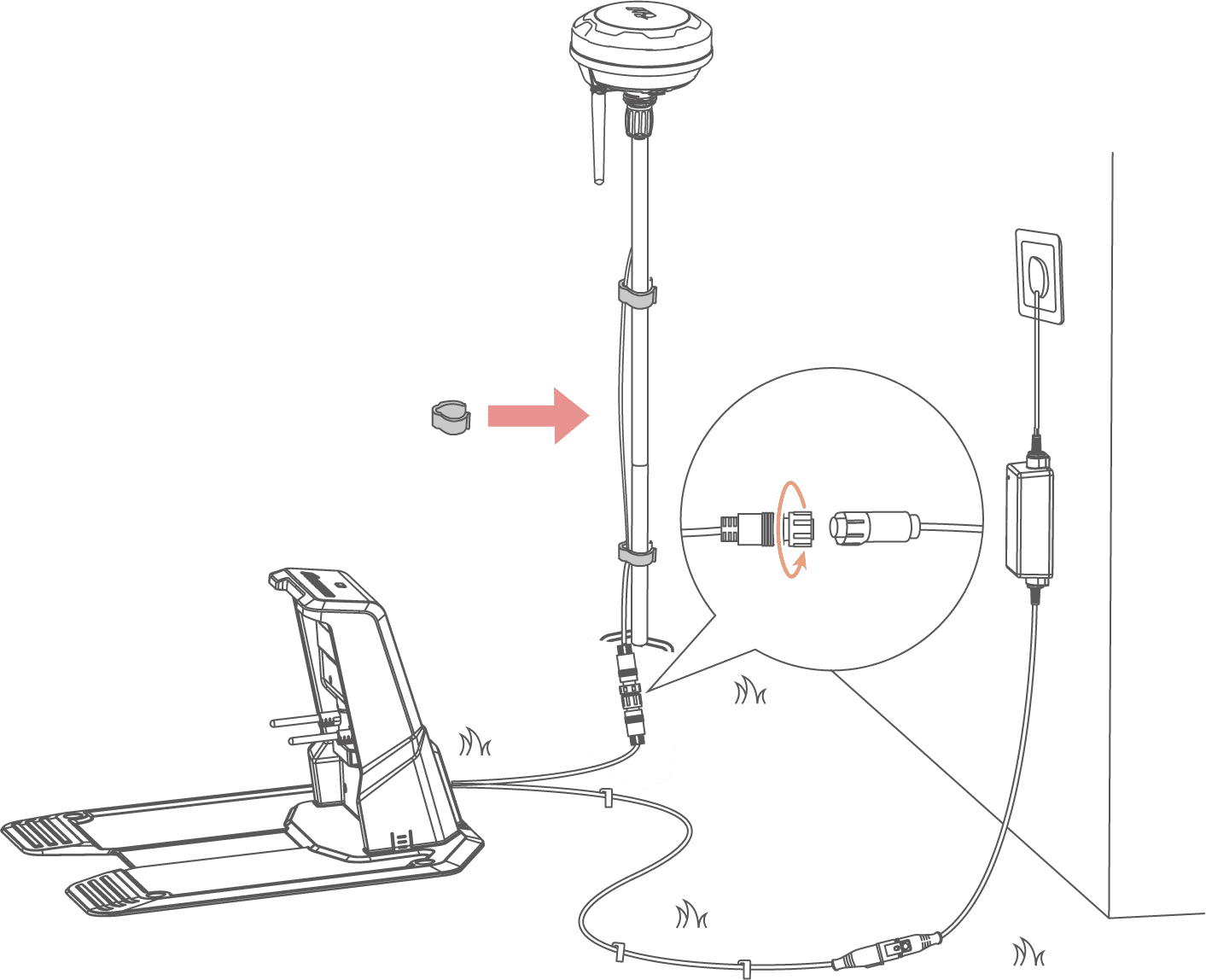
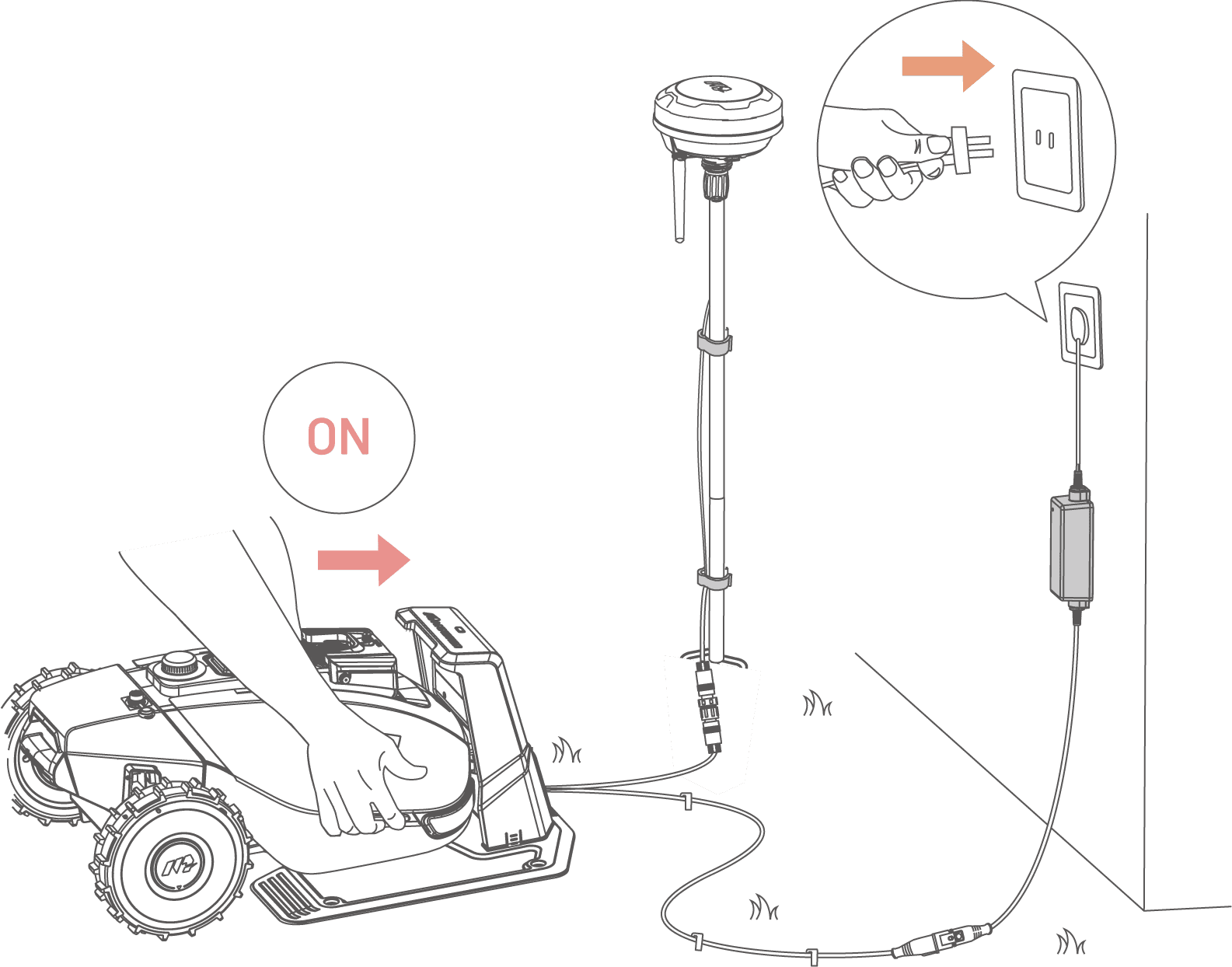
9. Move the robot onto the charging station for charging.
NOTE: Charge the robot for initial use.
Bind the RTK Reference Station
Bind the RTK Reference Station
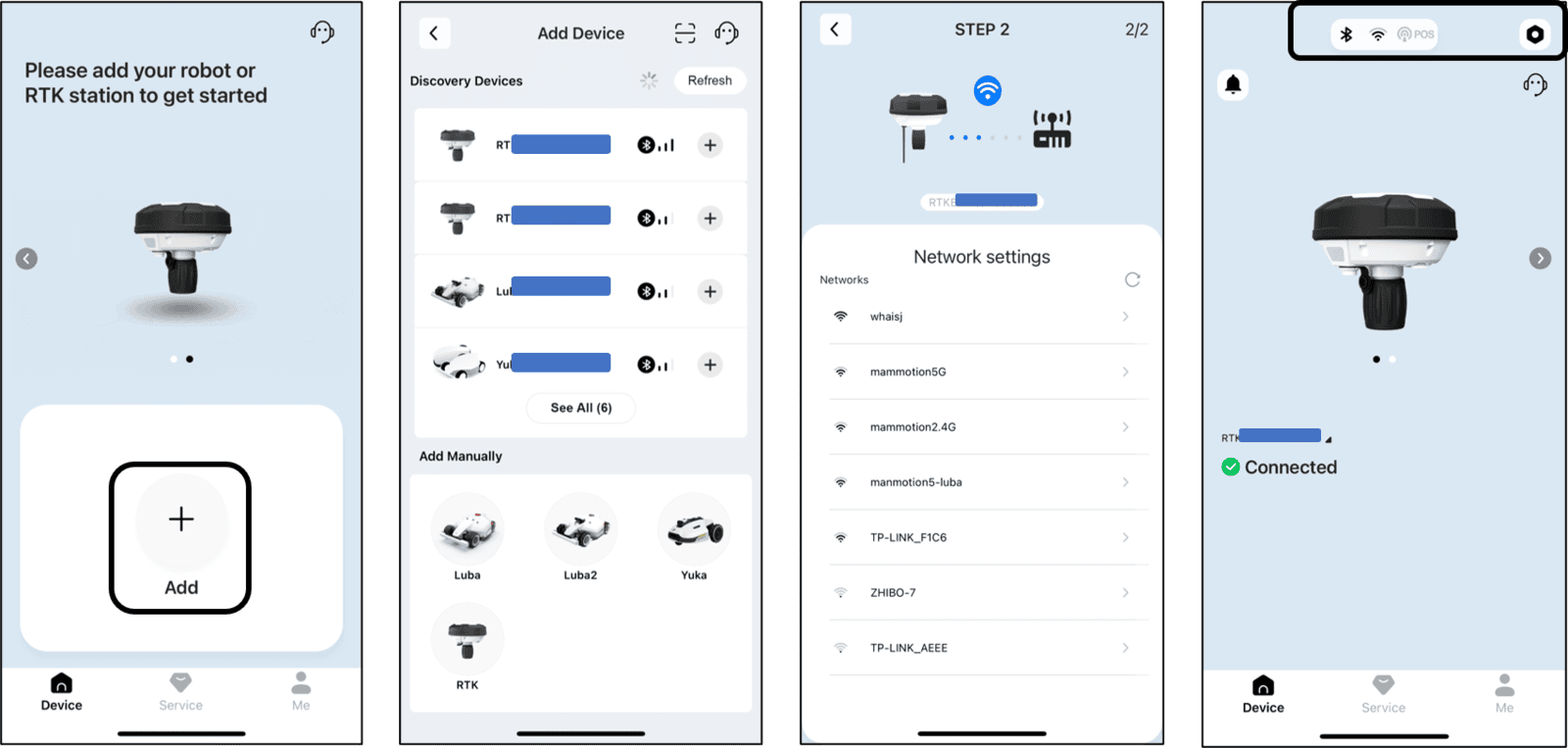
The RTK reference station can be bound to the Mammotion app to monitor data such as the number of satellites received, signal strength, and more. Additionally, you can update the firmware through the app when needed.
1. Supply power to the RTK reference station and it will turn on automatically.
2. Select Add.
3. Follow the onscreen instructions to connect RTK reference station and set network successfully.
4. Go to Settings or tap the Status bar on the RTK reference station page to view its data or update the firmware if necessary.